Asynchronous Programming in Python and NodeJS
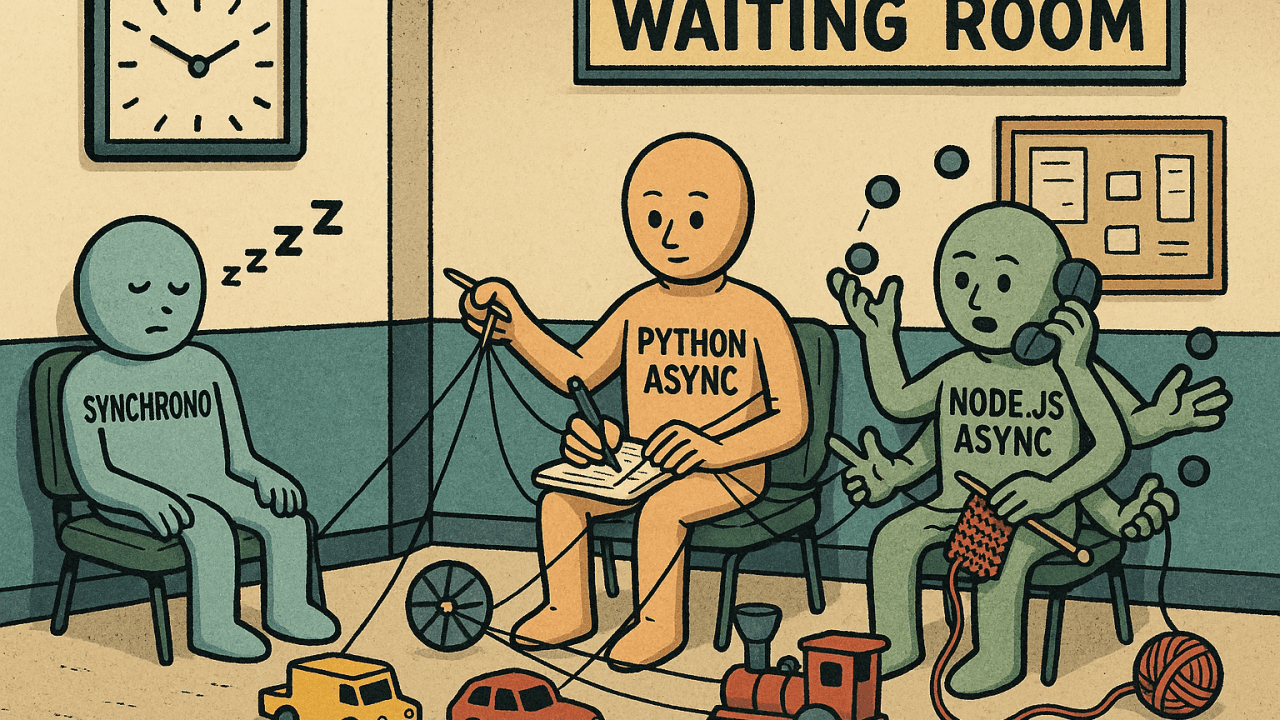
In the last article, we have talked about concurrency and parallelism at OS level. Concurrency is when tasks can start and run seemingly at the same time. Parallelism is when tasks actually run at the same time. Now let's talk about how you can access them at a language level, which will also let you see, that different languages have different ways of implementing these features due to the different core philosophies and how they've been designed. We will go through how Python and NodeJS implements them in this article. Before that let us go through the foundational concept, asynchronous programming.
Asynchronous Programming: When You're Waiting
Now, let's talk about event loops and asynchronous programming. Imagine you're a coffee shop manager. When a customer orders a coffee, they have to wait for it to be prepared. But you don't wait with them—you take other orders for others in the meantime, and when the coffee is prepared, you give it to the customer.
This "doing something else while waiting" is the essence of asynchronous programming. When you write an application, many operations involve waiting: waiting for data from a network, waiting for a file to be read from disk, waiting for a database query to return results. These are called I/O-bound tasks (Input/Output bound).
This is where asynchronous programming comes into play. You typically write code using the async/await syntax.
At its core, this concept uses an event loop.
Event Loop
Think of the event loop as the coffee shop manager in our example. When you place an order (start an I/O operation), the manager notes it down and goes to the next customer. When your coffee is ready, a signal is sent to the manager, who then comes back to you.
In asynchronous programming, when your code encounters an await keyword, it means "I'm going to start an I/O operation here, and while I wait for it to complete, the event loop can go off and do other tasks." When that I/O operation finishes, the event loop then comes back to where you awaited and resumes your code. This way, a single thread can manage many concurrent I/O operations without getting blocked. It's like a single barista handling multiple orders efficiently by constantly switching tasks.
So, while threads are about potentially running multiple things in parallel, event loops are about running many I/O-bound tasks concurrently within a single thread. It's about maximizing the utilization of that single thread by not letting it sit idle during waiting periods.
Examples:
Python:
import asyncio

async def fetch_data(): # declares a coroutine (an async function)
    print("Start fetching...")

    # Simulate I/O: pauses for 2 seconds. Meanwhile other tasks continue.
    await asyncio.sleep(2)

    print("Done fetching!")

async def main():
    # runs them seemingly at the same time
    await asyncio.gather(fetch_data(), fetch_data())

asyncio.run(main()) # starts the event loop and runs the main coroutine
NodeJS:
const fs = require('fs/promises');

// declares an asynchronous function

async function readFile() {
    console.log("Reading file...");

    // the event loop continues handling other tasks while this waits.
    const content = await fs.readFile('example.txt', 'utf8');

    console.log("File content:", content);
}

readFile();
readFile();
Python
Before we jump ahead, we absolutely have to talk about something called the Global Interpreter Lock, or GIL.
Global Interpreter Lock (GIL)
GIL is a locking mechanism which makes sure that only one thread can enter and execute Python bytecode at any given time.
Now, why does Python have this GIL? Well, it's mainly there to make memory management simpler and safer. Without it, imagine multiple threads trying to modify the same piece of data in memory simultaneously—it could lead to unpredictable and hard-to-debug issues. The GIL prevents these kinds of race conditions.
However, the downside is that even if you have a powerful multi-core processor, the GIL prevents multiple threads from executing Python bytecode in parallel. This means if your program is heavily dependent on CPU-bound tasks (tasks that spend most of their time crunching numbers), then using multiple threads in Python won't magically make it run faster across all your CPU cores.
But GIL only applies to Python bytecode. If your code calls out to underlying C libraries (which many popular Python libraries do, like NumPy for numerical computations), then the GIL can be released, allowing those C operations to run in parallel. This is a crucial point to remember!
Concurrency: Threading
Now with GIL in place, how does threading work in Python? Python's threading module allows you to create and manage multiple threads within a single process.
When you use threads in Python, you are indeed achieving concurrency. Multiple threads can exist and execute seemingly at the same time. However, due to the GIL, only one thread can be executing Python bytecode at any given moment. The operating system's scheduler rapidly switches between these threads, giving the illusion of parallel execution.
So, when is threading useful in Python?
I/O-bound tasks: If your task involves a lot of waiting (like fetching data from the internet, reading a large file, or waiting for a database response), then threads can be very effective. While one thread is waiting for an I/O operation to complete, the GIL is released, allowing another thread to execute Python bytecode. This means you're still making progress on other parts of your program.
Tasks that release the GIL: As mentioned earlier, if your code calls out to underlying C libraries that release the GIL (like many numerical processing libraries), then you can truly achieve parallelism with threads for those specific operations.
However, if your task is CPU-bound (e.g., heavy mathematical calculations, image processing, complex algorithms that primarily involve Python code), then using multiple threads in Python might not give you the performance boost you expect. In fact, the overhead of managing threads and the GIL switching can sometimes even make CPU-bound threaded programs slower than their single-threaded counterparts.
It’s also important to note that not all libraries behave the same way with regard to GIL. Just because a library is implemented in C doesn’t guarantee it will release the GIL.
Example:
import threading
import time

def download_file():
    print("Start downloading...")
    time.sleep(3)  # Blocking, simulates I/O
    print("Download complete!")

# Start two threads to run the download_file function
t1 = threading.Thread(target=download_file)
t2 = threading.Thread(target=download_file)


# runs both functions concurrently.
t1.start()
t2.start()

# waits for both threads to finish
t1.join()
t2.join()

print("Both downloads finished.")
Parallelism: Multiprocessing
If you want to achieve true parallelism for CPU-bound tasks in Python, where different parts of your program run simultaneously on different CPU cores, then the multiprocessing module is your choice.
Multiprocessing, as the name implies, creates separate processes instead of threads. Think of each process as a completely independent instance of the Python interpreter, with its own memory space and its own GIL. Because each process has its own GIL, they can all run simultaneously on different CPU cores without interference.
The multiprocessing module handles all the complexities of creating these processes and provides ways for them to communicate with each other (if needed), for example, through queues or pipes.
That said, using multiprocessing has trade-offs: processes are heavier than threads and inter-process communication can be slower than shared-memory in concurrency.
Example:
from multiprocessing import Process
import time

def heavy_computation():
    print("Start computing...")
    total = 0

    for i in range(10**7):  # CPU-intensive loop
        total += i
    print("Computation done:", total)

# Creates two new OS processes. They truly run in parallel on different CPU cores.
p1 = Process(target=heavy_computation)
p2 = Process(target=heavy_computation)

p1.start()
p2.start()

p1.join()
p2.join()

print("Both computations finished.")
NodeJS
Node JS achieves the same concepts of concurrency and parallelism quite differently from Python. To know why, you should first get to know the main philosophy of NodeJS.
Single-Threaded Nature of NodeJS
The most fundamental concept to grasp about NodeJS is that its main execution thread is single-threaded. This means that your JavaScript code runs on one single thread. There's no GIL here in the Python sense because JavaScript itself doesn't have a GIL; it's designed differently.
Then how can it handle so many users and tasks if it's single-threaded? This is where the event loop with non-blocking I/O come in.
Concurrency: With Non-Blocking I/O
Node.js is designed with non-blocking I/O. This means when your Node.js code needs to do something that takes time, like reading a file from disk, making a request to another server, or fetching data from a database—instead of waiting, Node.js tells the OS or some background libraries, "Hey, can you do this for me? When you're done, let me know!" And then, it immediately moves on to the next task.
Those background libraries themselves might use multiple threads.
Simplified Flow
When your Node.js application starts, the event loop begins its cycle.
It executes any synchronous JavaScript code first (like setting up variables or simple calculations). When it encounters a file system asynchronous operation like reading a file, it offloads that task to an underlying C++ library called libuv. But when it encounters a network I/O task, it uses OS async APIs.
Libuv maintains a thread pool, a small group of actual operating system threads, to handle these heavy, blocking I/O tasks. So, when your Node.js code says "read this file," libuv picks an available thread from its pool to do the actual file reading. Once that background thread finishes the I/O operation, it doesn't return the result directly. Instead, it places a callback function—a piece of code that should run when the task is complete—into an event queue.
The event loop continuously checks if the call stack (where synchronous code runs) is empty. If it is, it picks the next callback from the event queue and pushes it onto the call stack for execution.
This continuous cycle ensures that the main JavaScript thread is almost always busy doing something useful, either processing new requests or handling the results of completed asynchronous operations, instead of waiting idly.
This model is incredibly efficient for I/O-bound applications (like web servers) because the single JavaScript thread is never blocked waiting for slow I/O operations. It's always free to accept new connections and process other requests.
Example:
const fs = require('fs');

function readFileAsync(filename) {

// fs.readFile is non-blocking — it doesn't wait for the result. The event loop continues running after calling both reads. The callbacks are triggered once each file is read.

  fs.readFile(filename, 'utf8', (err, data) => {
    if (err) throw err;
    console.log(`Read ${filename}:`, data);
  });
}

readFileAsync('file1.txt');
readFileAsync('file2.txt');

// Node doesn’t create OS-level threads here — it offloads to libuv's internal mechanisms.

console.log("Files are being read...");
Parallelism: With Worker Threads
While Node.js's single-threaded nature simplified programming (no need to worry about shared memory, race conditions), this model had a limitation: if you had a CPU-bound task, it would block the entire Event Loop. In our previous flow, by the time the I/O task is complete and a callback function is set in the event queue, if the main execution stack still keeps running for a long time, this callback will not get executed until the call stack is free.
To address this, worker threads were introduced. Worker threads allow you to create separate, isolated JavaScript execution environments that run on different threads. Each worker thread has its own V8 engine instance, its own event loop, and its own memory space.
This means you can offload computationally intensive tasks to a worker thread, keeping the main thread (and its event loop) free and responsive to handle incoming requests. The worker thread will have its own event loop, but it will still be in the same process. The benefit is that the main thread won't be blocked by the long running heavy computation happening in the worker thread.
That said, worker threads come with their own complexities. They are heavier than you might expect (each runs its own V8 instance), and communication between threads happens via message passing.
Example:
const { Worker, isMainThread, parentPort } = require('worker_threads');

if (isMainThread) {
  function runWorker() {
    return new Promise((resolve, reject) => {
      const worker = new Worker(__filename);
      worker.on('message', resolve);
      worker.on('error', reject);
    });
  }

  runWorker().then(result => {
    console.log("Worker result:", result);
  });

} else {
  let total = 0;
  for (let i = 0; i < 100; i++)
    total += i;
  }

  parentPort.postMessage(total);
}
Parallelism: With Clustering
In addition to worker threads, Node.js also supports another technique for achieving parallelism across CPU cores: clustering.
The cluster module in Node.js allows you to spawn multiple child processes, each running an instance of your server. These child processes share the same server port and can handle incoming requests in parallel. Essentially, you’re replicating the same Node.js process multiple times, with each process operating independently and utilizing a different CPU core.
Imagine you have an 8-core machine. With clustering, you can start 8 separate Node.js processes (workers), all managed by a master process. When a new connection is received, the master process can distribute it to one of the worker processes, often using a round-robin or OS-level load balancing strategy.
This approach provides true parallelism at the process level without changing your application code much. It’s especially useful for scaling I/O-bound web applications horizontally within a single machine.
However, like multiprocessing in Python, clustering comes with its own caveats: each worker has its own memory space, so sharing data across workers requires inter-process communication via messaging or external data stores.
Example:
const cluster = require('cluster');
const http = require('http');
const os = require('os');

if (cluster.isMaster) {
  const numCPUs = os.cpus().length;
  console.log(`Master PID ${process.pid}, spawning ${numCPUs} workers`);

  for (let i = 0; i < numCPUs; i++) {
    cluster.fork(); // Spawn worker
  }

} else {
  http.createServer((req, res) => {
    res.end(`Handled by PID ${process.pid}`);
  }).listen(3000);
}
Conclusion
It's crucial to understand the strengths and limitations of different programming languages and use them accordingly. You might choose Node.js for building a web server due to its efficient non-blocking I/O model, which is great handling high-concurrency I/O-bound workloads, such as handling multiple HTTP requests, reading/writing to databases, or working with file systems.
However, when it comes to CPU-bound or computation-heavy tasks like data processing, image manipulation, or machine learning, Node.js is not ideal due to its single-threaded event loop. In such cases, it's often better to offload these tasks to a separate service written in a language more suited for heavy computation, such as Python or C++.
If you're using Python, you may worry about the GIL restricting parallelism in multithreaded programs. While it's true that the GIL limits CPU-bound concurrency in threads, I/O-bound concurrency (e.g. network calls, disk I/O) can still benefit from multithreading. For CPU-bound tasks, using multiprocessing, which spawns separate processes, is often the better approach.
More importantly, you can combine both NodeJS and Python to play to each of their strengths — using Node.js for handling high-throughput asynchronous I/O operations, and Python for offloading compute-heavy tasks and leveraging its rich ecosystem in data science, AI, and numerical computing.