Understanding Big O
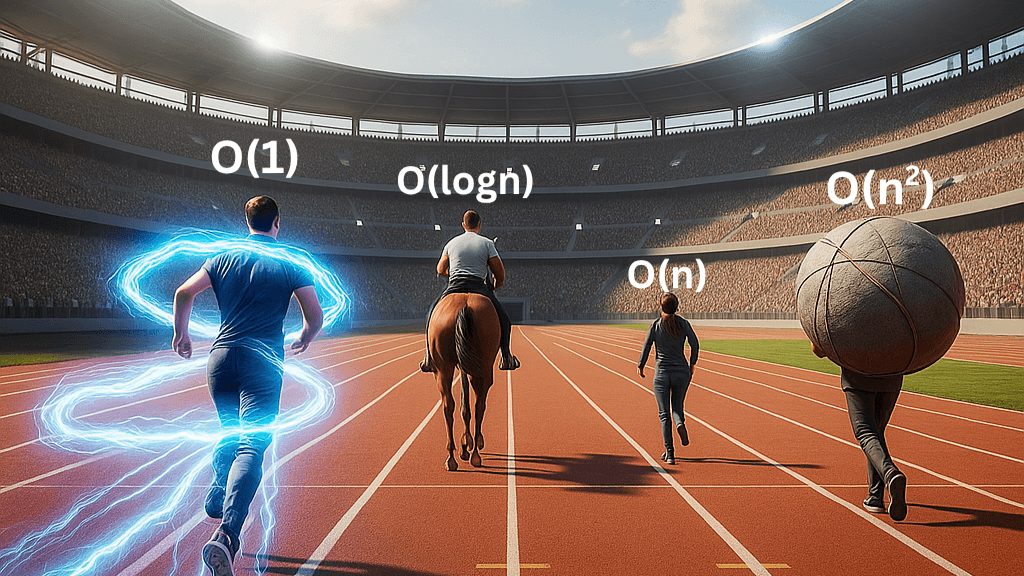
There are often many ways to solve a problem. These different approaches are called algorithms. An algorithm is just a clear, well-defined set of step-by-step instructions that a computer follows to perform a computation. For example, if you want to find a specific word in a dictionary, you could start from the very first page and read every word until you find it. Or, you could open the dictionary roughly in the middle, see if your word is before or after, and then narrow down your search. Both are algorithms to find a word. But one is more efficient than the other.
This is why we look into solving the same problem using different algorithms. Because some are just more efficient than others. So, how do you figure out which one’s better? You usually look at two things: how much memory it eats up (space complexity) and how long it takes to run (time complexity). In this one, we’re just talking about time complexity.
What is it?
Big O is a way to describe this time complexity. Think of it as a way to describe how much "work" an algorithm has to do as the amount of "stuff" i.e., input size, it's working with grows. It's not about the exact number of seconds an algorithm takes, because that can change depending on how fast your computer is or what other programs are running in the background. Instead, Big O focuses on how fast the amount of work grows as the input size grows.
Big O helps us categorize algorithms based on how their performance scales. It gives us a kind of a "worst-case scenario" for how long an algorithm might take. We use a special notation, often with a capital 'O' followed by parentheses, like O(n) or O(n^2).
Let's go through some examples:
O(1): Constant Time
Imagine, in the above dictionary example, you already know the page number and the position of the word you are looking for. Then you don't need to go through all the words one by one. If you already know the page number is 20, it doesn't matter whether the dictionary has 100 pages or 1000 pages, you will always open page 20 as soon as you open the dictionary. This type of getting what you want in the same time no matter the input size, is O(1).
Example:
Accessing an element in an array by its index - it doesn't matter how many elements they are, you can just jump to its index In the memory.
Adding an element at the front in a singly linked list - you are just adding an element and referencing the pointer to the previous first item and it doesn't matter how many elements there are after it.
O(n): Linear Time
In the same example, if you don't know the page number, then you are not just accessing the word but you are searching for it. And if you are reading every word, if you have a small dictionary with only 100 pages, in the worst case scenario, the word will be in the 100th page and you will have to read all 100 pages. If you have a 1000 pages, you will have to read all 1000 pages. That means the work grows directly with the number of pages - double the pages, double the time. So, you can say the time complexity in this case is O(n).
Example:
Searching for an item in an unsorted list (we used a dictionary example, which is technically a sorted list, just for a good analogy. But there are much better algorithms to find elements in a sorted list).
Printing all the elements in an array - you are going through all the elements of an array.
Counting the number of items in a list - again, you are going through all the elements of an array.
O(logn) - Logarithmic Time
In our dictionary example, if you are opening in the middle and deciding to go left or right, then opening again in the middle and again deciding to go left or right and you keep on repeating it until you find the word. That is Binary Search Algorithm. It wouldn't work if the input elements are not sorted. This algorithm can give you O(logn).
"Logarithm" sounds scary, but it really isn't. Think of it this way: with O(logn) algorithms, you're not looking at every item. Instead, you're cutting the problem size in half (or some other fraction) with each step.
If you have a million pages in a dictionary:
First step: You cut it to 500,000 pages.
Second step: You cut it to 250,000 pages.
...and so on.
You can find your word incredibly fast because with each step, you eliminate a huge chunk of possibilities. This is why O(logn) is considered very efficient, especially for large inputs.
Example:
Binary search - like our dictionary example, where the data must be sorted.
Finding an item in a balanced binary search tree.
Why is binary search O(logn)?
If n (your input size) is 100:
After 1 step, you're looking at 50 elements.
After 2 steps, you're looking at 25 elements.
After 3 steps, you're looking at 12-13 elements.
After 4 steps, you're looking at 6-7 elements.
After 5 steps, you're looking at 3-4 elements.
After 6 steps, you're looking at 1-2 elements.
After 7 steps, you're looking at 1 element (and you'll find it or it's not there).
So, for 100 items, it takes about 7 steps.
Now consider n = 1,000,000 (one million).
1st step: 500,000
2nd step: 250,000
3rd step: 125,000
...
10th step: about 1,000
...
20th step: about 1 element.
So, for a million items, it takes about 20 steps.
The number of steps is basically: how many times can you divide n by 2 until you're left with 1?
This "how many times do you divide by something" question is answered by a logarithm. Specifically, we're talking about the base-2 logarithm (log2).
log2(100)≈6.64 (which rounds up to 7 steps)
log2(1,000,000)≈19.93 (which rounds up to 20 steps)
So, the number of operations grows proportionally to the logarithm (base 2) of the input size n. That's why we say its time complexity is O(log n).
O(n^2) - Quadratic Time
Imagine you're trying to find all possible pairs of students in a classroom. For every student, you have to pair them with every other student. If there are 'n' students, the first student pairs with (n-1) others, the second student pairs with (n-1) others, and so on. This quickly leads to n multiplied by n, or n^2 operations.
When you see nested loops in a computer program (a loop inside another loop), it often points to O(n^2) complexity. If you double the input size, the time taken doesn't just double; it quadruples! This can get very slow for large inputs.
Example:
Bubble Sort (a simple but inefficient sorting algorithm where you repeatedly step through the list, compare adjacent elements and swap them if they are in the wrong order).
Finding all possible pairs of elements in a list.
There are more like O(n^3) and O(2^n) and so on, which we are not covering in this article.
Why is Big O important for Data Structures?
Data structures are ways of organizing data in a computer so that it can be used efficiently. The choice of data structure directly impacts the time complexity of the algorithms you use with it.
If you need to quickly check if an item exists, a hash table might give you an average O(1) search time. If you need to keep your data sorted and frequently search for items, a binary search tree might give you O(logn) search time. If you just need a simple list and don't care much about super-fast searching, a basic array might be fine for O(n) search time.
Understanding Big O helps you choose the algorithms to make your software perform well. It can be the difference between an app that runs in milliseconds and one that takes seconds… or minutes… or just crashes your computer.